GoBiz demo: How to use Zoom Prospector to register accounts, submit sites and export reports
November 01, 2025 | Governor’s Office of Business and Economic Development, Agencies under Office of the Governor, Executive, California
This article was created by AI summarizing key points discussed. AI makes mistakes, so for full details and context, please refer to the video of the full meeting. Please report any errors so we can fix them. Report an error »
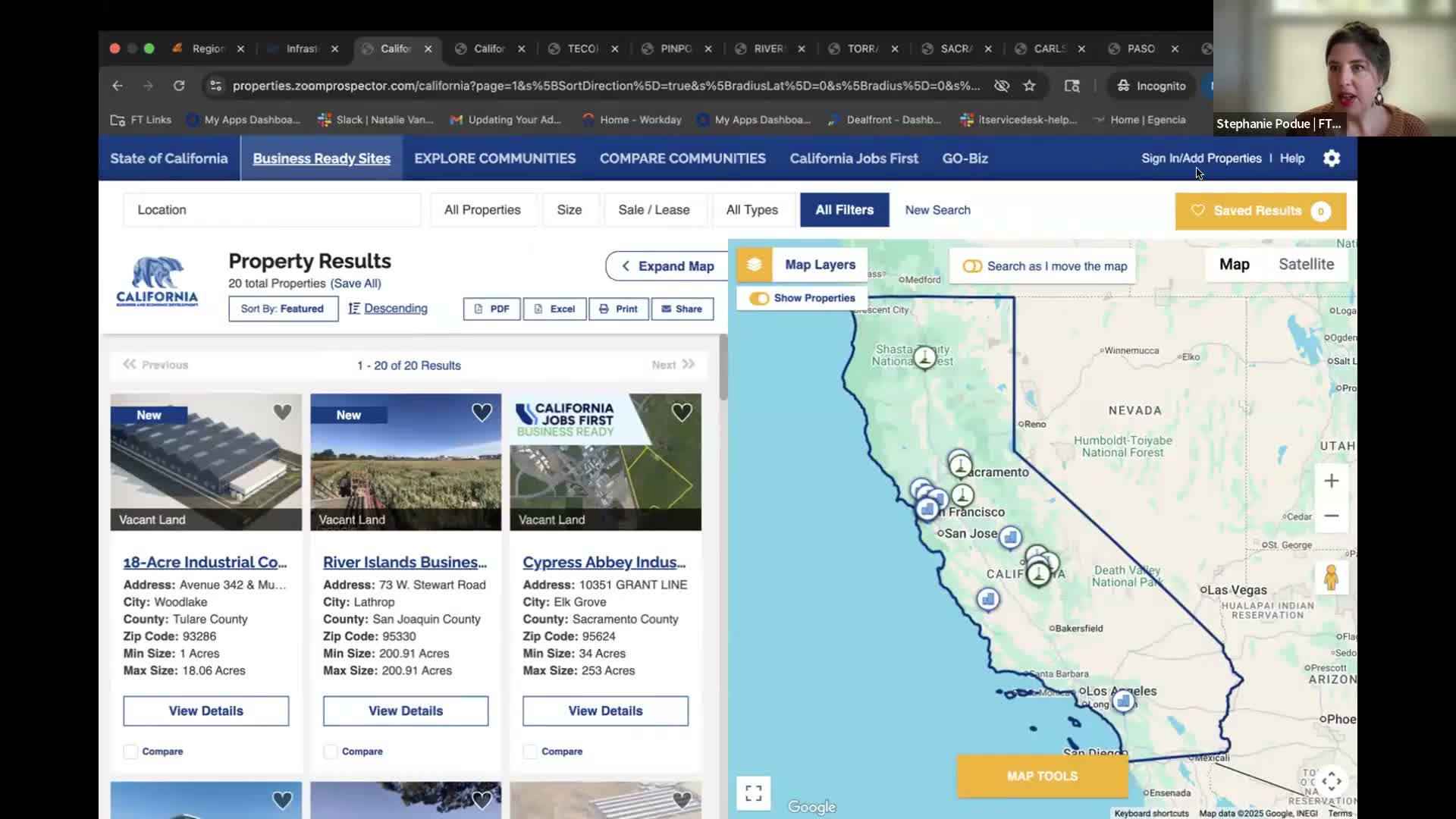
Feet Locations representatives Stephanie and Jeff walked attendees through the Jobs First regional data tool (Zoom Prospector), demonstrating account requests, site submission, map tools, data layers and export options.
"Zoom Prospector is the name of the software," Stephanie said when showing attendees where to sign in and add properties. She guided users through the Explore Community page, demographic and occupation reports, map pinpoints, and the compare‑communities and cluster features curated by GoBiz.
Stephanie noted data sources and update cadences: many demographic reports are from Applied Geographic Solutions and refresh quarterly, occupation data are from EMSI (quarterly), and some wage series come from the Bureau of Labor Statistics and may lag (example: 2023 BLS wage figures). She demonstrated how maps can be shared as unique URLs and exported to PDF or Excel where licensing permits.
Jeff demonstrated the admin portal for adding or editing a property and highlighted the four key Business Ready sections users must complete: zoning compliance and permits, infrastructure readiness, additional information, and the submit‑for‑review checkbox with a submission date to notify GoBiz reviewers. He explained required fields such as address/pinpoint, site size, building vs. vacant land, and the ability to upload photos and documents.
On cluster configuration and exports, presenters said clusters are set by GoBiz with designated NAICS rollups; users can visually layer multiple industries on the map, but rollup summaries and exports are limited by dataset licensing (some datasets do not provide detailed raw exports). Regarding user‑drawn study areas, presenters said shareable custom area URLs expire (approximately 14 days) due to storage and performance constraints.
Presenters answered operational questions about account types for consultants (access can be provided if the consultant is working with an economic development organization and shows that relationship) and suggested users include exported site PDFs or Excel reports in RFI responses for the time being; full RFI integration was described as a possible future enhancement.
"If you don't have an account, you can fill out this request form," Jeff said, noting GoBiz must approve and activate accounts.
"Zoom Prospector is the name of the software," Stephanie said when showing attendees where to sign in and add properties. She guided users through the Explore Community page, demographic and occupation reports, map pinpoints, and the compare‑communities and cluster features curated by GoBiz.
Stephanie noted data sources and update cadences: many demographic reports are from Applied Geographic Solutions and refresh quarterly, occupation data are from EMSI (quarterly), and some wage series come from the Bureau of Labor Statistics and may lag (example: 2023 BLS wage figures). She demonstrated how maps can be shared as unique URLs and exported to PDF or Excel where licensing permits.
Jeff demonstrated the admin portal for adding or editing a property and highlighted the four key Business Ready sections users must complete: zoning compliance and permits, infrastructure readiness, additional information, and the submit‑for‑review checkbox with a submission date to notify GoBiz reviewers. He explained required fields such as address/pinpoint, site size, building vs. vacant land, and the ability to upload photos and documents.
On cluster configuration and exports, presenters said clusters are set by GoBiz with designated NAICS rollups; users can visually layer multiple industries on the map, but rollup summaries and exports are limited by dataset licensing (some datasets do not provide detailed raw exports). Regarding user‑drawn study areas, presenters said shareable custom area URLs expire (approximately 14 days) due to storage and performance constraints.
Presenters answered operational questions about account types for consultants (access can be provided if the consultant is working with an economic development organization and shows that relationship) and suggested users include exported site PDFs or Excel reports in RFI responses for the time being; full RFI integration was described as a possible future enhancement.
"If you don't have an account, you can fill out this request form," Jeff said, noting GoBiz must approve and activate accounts.
View the Full Meeting & All Its Details
This article offers just a summary. Unlock complete video, transcripts, and insights as a Founder Member.
✓
Watch full, unedited meeting videos
✓
Search every word spoken in unlimited transcripts
✓
AI summaries & real-time alerts (all government levels)
✓
Permanent access to expanding government content
30-day money-back guarantee
