City staff demonstrates digital tools to help council navigate large meeting packets
October 15, 2025 | Casper, Natrona, Wyoming
This article was created by AI summarizing key points discussed. AI makes mistakes, so for full details and context, please refer to the video of the full meeting. Please report any errors so we can fix them. Report an error »
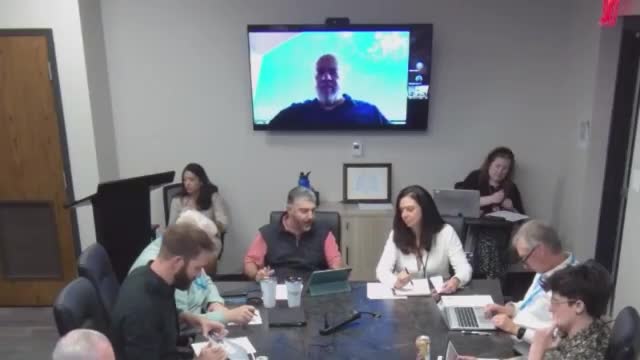
City of Casper information-technology staff demonstrated tools and techniques to help council members navigate large meeting packets, showing how to open agenda PDFs in reader apps, use bookmarks and flags, and annotate documents on iPads and desktops.
The demonstration focused on workflows IT recommends for iPad users — opening packets in the Books app or Adobe Acrobat Reader to use bookmarks, flags and highlights — and explained differences between viewing in a browser, on laptops/desktops and on iPads. Staff said they will distribute a two-page illustrated tutorial and offer one-on-one follow-up help for council members who want hands-on assistance.
Why it matters: Council members have raised concerns about lengthy packets and difficulty finding specific agenda documents. Staff said bookmarks and table-of-contents bookmarks inserted into PDFs make it easier to jump to memos or budget sections without scrolling through hundreds of pages.
IT staff member Miranda Huss demonstrated opening packets in the Books app and using the top-right "Send To" option to launch the document as a book, showing how bookmarks and the pen/highlight tools make review and note-taking faster. Staff demonstrated flagging pages and explained that Adobe Reader (free) supports bookmarks on desktops; on iPads, staff advised downloading the packet to see the embedded bookmarks.
Council members asked about the public's experience locating content; staff said Amanda (city staff) has been creating bookmarks inside PDFs so the public can view the table of contents in Adobe Reader, and staff will verify how bookmarks display when the public downloads packets. IT offered to email a short tutorial and to schedule one-on-one sessions to help council members get comfortable with the tools.
The demonstration concluded with staff offering ongoing technical support and to follow up on any packet-formatting ideas council wants to explore further.
The demonstration focused on workflows IT recommends for iPad users — opening packets in the Books app or Adobe Acrobat Reader to use bookmarks, flags and highlights — and explained differences between viewing in a browser, on laptops/desktops and on iPads. Staff said they will distribute a two-page illustrated tutorial and offer one-on-one follow-up help for council members who want hands-on assistance.
Why it matters: Council members have raised concerns about lengthy packets and difficulty finding specific agenda documents. Staff said bookmarks and table-of-contents bookmarks inserted into PDFs make it easier to jump to memos or budget sections without scrolling through hundreds of pages.
IT staff member Miranda Huss demonstrated opening packets in the Books app and using the top-right "Send To" option to launch the document as a book, showing how bookmarks and the pen/highlight tools make review and note-taking faster. Staff demonstrated flagging pages and explained that Adobe Reader (free) supports bookmarks on desktops; on iPads, staff advised downloading the packet to see the embedded bookmarks.
Council members asked about the public's experience locating content; staff said Amanda (city staff) has been creating bookmarks inside PDFs so the public can view the table of contents in Adobe Reader, and staff will verify how bookmarks display when the public downloads packets. IT offered to email a short tutorial and to schedule one-on-one sessions to help council members get comfortable with the tools.
The demonstration concluded with staff offering ongoing technical support and to follow up on any packet-formatting ideas council wants to explore further.
View the Full Meeting & All Its Details
This article offers just a summary. Unlock complete video, transcripts, and insights as a Founder Member.
✓
Watch full, unedited meeting videos
✓
Search every word spoken in unlimited transcripts
✓
AI summaries & real-time alerts (all government levels)
✓
Permanent access to expanding government content
30-day money-back guarantee
