Board discusses Chromebook replacement cycle and student repair process after device problems reported
September 04, 2025 | RAVENA-COEYMANS-SELKIRK CENTRAL SCHOOL DISTRICT, School Districts, New York
This article was created by AI summarizing key points discussed. AI makes mistakes, so for full details and context, please refer to the video of the full meeting. Please report any errors so we can fix them. Report an error »
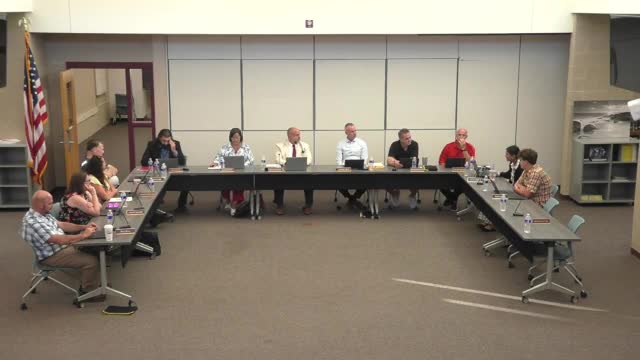
A student and board members raised problems with district-issued Chromebooks, prompting administrators to outline the district’s repair and replacement process and to say affected students should contact the principal or the district IT department.
During public discussion a student said the device repeatedly “starts glitching” and prevented completion of an essay: “Every time I try search sheet, like, try to search something up Oh, that's and, like, I enter it, it starts glitching, and I've shut this thing down. I restarted it. I did everything that I can to possibly save it, and it won't work. And, I need to write my essay, guys. And I'm stressing out because I don't know what to do.” The board and administrators offered to help after the meeting and directed students to reach out to the IT department or the principal for troubleshooting.
Administrators described a district practice of cycling Chromebooks roughly every five years and said replacement targets for the current cycle were identified by grade. On the record a staff member said, “I wanna say it will be the eleventh grade class and the kindergarten class this year,” and later discussion clarified that some statements about which grades were in the current replacement cohort were inconsistent in the meeting record. Administrators said the district inventories returned devices, fixes what it can, and replaces devices that cannot be repaired; replacements may not always be brand-new machines but will come from the district’s replacement cycle inventory.
Why it matters: Chromebooks are core devices for classroom work and assessments; the district’s approach to inventory, repair and replacement affects students’ ability to complete assignments and tests.
What the district told the board
- Students with malfunctioning devices were instructed to contact the principal or district IT; staff said the tech team will evaluate devices during inventory and determine whether repair or replacement is needed.
- Devices that cannot be repaired are replaced from the district inventory; replacements are not always new devices but are taken from the replacement cycle.
- If a Chromebook was not collected at the end of the prior year, the student may still be keeping that device, and families should notify the district if a device is inoperable.
Board follow-up
Administrators said they will provide more precise rollout details in a weekend update and will follow up with individual students and families who report devices that fail to function.
During public discussion a student said the device repeatedly “starts glitching” and prevented completion of an essay: “Every time I try search sheet, like, try to search something up Oh, that's and, like, I enter it, it starts glitching, and I've shut this thing down. I restarted it. I did everything that I can to possibly save it, and it won't work. And, I need to write my essay, guys. And I'm stressing out because I don't know what to do.” The board and administrators offered to help after the meeting and directed students to reach out to the IT department or the principal for troubleshooting.
Administrators described a district practice of cycling Chromebooks roughly every five years and said replacement targets for the current cycle were identified by grade. On the record a staff member said, “I wanna say it will be the eleventh grade class and the kindergarten class this year,” and later discussion clarified that some statements about which grades were in the current replacement cohort were inconsistent in the meeting record. Administrators said the district inventories returned devices, fixes what it can, and replaces devices that cannot be repaired; replacements may not always be brand-new machines but will come from the district’s replacement cycle inventory.
Why it matters: Chromebooks are core devices for classroom work and assessments; the district’s approach to inventory, repair and replacement affects students’ ability to complete assignments and tests.
What the district told the board
- Students with malfunctioning devices were instructed to contact the principal or district IT; staff said the tech team will evaluate devices during inventory and determine whether repair or replacement is needed.
- Devices that cannot be repaired are replaced from the district inventory; replacements are not always new devices but are taken from the replacement cycle.
- If a Chromebook was not collected at the end of the prior year, the student may still be keeping that device, and families should notify the district if a device is inoperable.
Board follow-up
Administrators said they will provide more precise rollout details in a weekend update and will follow up with individual students and families who report devices that fail to function.
View the Full Meeting & All Its Details
This article offers just a summary. Unlock complete video, transcripts, and insights as a Founder Member.
✓
Watch full, unedited meeting videos
✓
Search every word spoken in unlimited transcripts
✓
AI summaries & real-time alerts (all government levels)
✓
Permanent access to expanding government content
30-day money-back guarantee
